

Best Japan eSIM (2026) – UBIGI setup, prices, what I’d buy
Get data in Japan without the hassle of pocket wifi or physical SIM cards.
If you want the simplest Japan eSIM, I use Ubigi
Pick a plan below and you’ll be connected in minutes.
Use code STAFA10 for 10% off
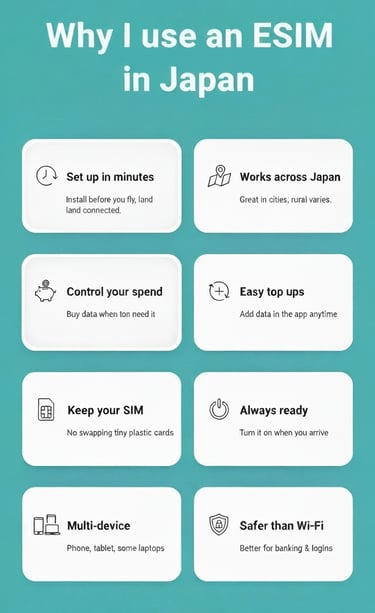
Why I use an eSIM in Japan (instead of a SIM shop or pocket WiFi)
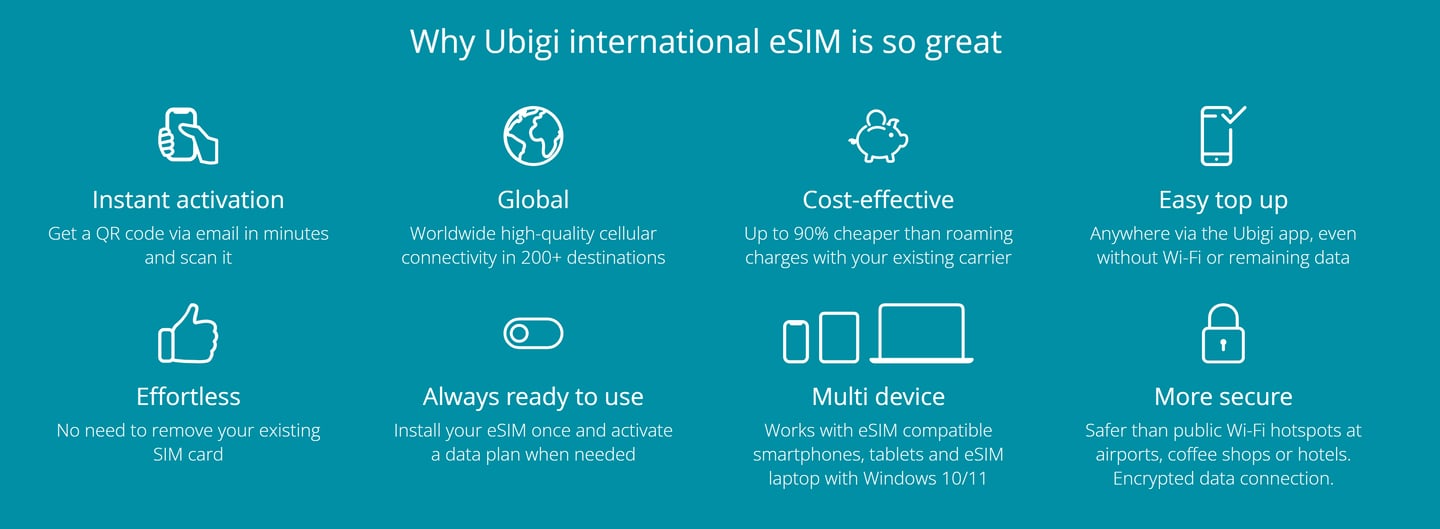
You land connected. Maps, messages, bookings, sorted the moment you arrive.
Nothing to carry. Pocket WiFi is just another thing to charge, lose, and return.
You stay in control. Top up when you need it, not when a kiosk says so.
Best for: travellers who want simple, flexible data for Japan (especially city travel days).
Not for: phones that aren’t eSIM-compatible or are carrier-locked.


Use code STAFA10 for 10% off
Pick your Japan data plan (quick guide)
Light user (1–3 GB)
Good for: Google Maps, messages, emails, Uber/transport apps.
Not great for: lots of TikTok/YouTube, uploading videos.
Normal user (5–10 GB)
Good for: maps + socials + browsing + a bit of streaming.
This is the “I don’t want to stress about data” option.
Heavy user (10–20+ GB)
Good for: heavy socials, video calls, uploading content, hot spotting.
If you’re working while travelling, this is usually the safe bet.
My rule of thumb: if you’re unsure, start with Normal, you can top up later.
Check this before you buy (takes 30 seconds)
1) Your phone must support eSIM.
Most newer iPhones and many Androids do, but don’t guess. Check your model settings or the manufacturer specs.
2) Your phone must be unlocked.
If you’re still paying it off through a carrier, it might be locked. A locked phone = the eSIM installs but won’t connect properly.
3) One more reality check: you need mobile data turned on, and you may need to toggle data roaming for the eSIM line (normal for travel eSIMs).
If your phone’s compatible, grab the Japan eSIM (code STAFA10 for 10% off)
Set up your Japan eSIM (5 steps)
Before you fly (recommended): install it on Wi‑Fi so you’re not trying to do this half-asleep in an airport.
Buy your plan and use code STAFA10 for 10% off.
Install the eSIM (usually via QR code or in-app install).
Name the line something obvious like “Japan eSIM” so you don’t select the wrong one later.
Set your phone defaults: keep your normal SIM for calls/texts, set mobile data to “Japan eSIM” when you’re ready to use it.
On arrival: switch mobile data to the Japan eSIM and turn data roaming ON for that eSIM line (this is normal for travel eSIMs).
If it doesn’t connect in 2 minutes: toggle airplane mode on/off, restart your phone, then double-check you’ve selected the Japan eSIM for mobile data.
Landing in Japan: 60‑second checklist
Turn Wi‑Fi off (so you can tell if mobile data is actually working).
Mobile data ON.
Select the right data line: set Mobile Data = “Japan eSIM”.
Data roaming ON for the Japan eSIM line (normal for travel eSIMs).
Wait 30–60 seconds for signal to kick in.
If it’s still dead: airplane mode ON/OFF, then restart.
Quick sanity check: if you can load Google Maps or WhatsApp on mobile data, you’re good.
If it’s not working: fixes that usually solve it
Problem: eSIM installed but you’ve got no data
Make sure Mobile Data is set to Japan eSIM (not your normal SIM).
Turn Data Roaming ON for the Japan eSIM line.
Toggle Airplane mode on/off, then wait 30 seconds.
Problem: no signal / stuck on SOS / nothing loads
Restart your phone (annoying, but it works).
Go to your eSIM settings and confirm the Japan eSIM line is turned ON.
Try manually selecting a network (if your phone allows it), then switch back to automatic.
Problem: it worked… then randomly stopped
Check you haven’t hit your data limit (top up if needed).
Turn mobile data off/on and reselect the Japan eSIM as the data line.
Problem: “This phone isn’t supported” / can’t add eSIM
Your phone may not be eSIM-compatible or it may be carrier-locked. That’s not a Ubigi issue, it’s a phone/carrier issue.
Still stuck?
Do the boring reset: Reset Network Settings, then try again (you’ll need to re-enter Wi‑Fi passwords afterwards).
Japan eSIM FAQ
When should I install the eSIM?
Ideally before you fly, on Wi‑Fi. You can still activate/use it when you land.
Will I keep my normal number?
Yes, your normal SIM can stay in your phone for calls/texts. The eSIM is for data.
Do I need to turn data roaming on?
Often, yes, for the eSIM line. It sounds scary, but it’s normal for travel eSIMs.
Can I hotspot/share data?
Usually yes (depends on your device/settings). If hotspot is important to you, choose a bigger data plan.
Can I top up if I run out?
Yes, that’s the point. Start smaller if you want, then top up as needed.
Does it work outside Tokyo/Osaka/Kyoto?
In general: cities are strong. In remote/rural areas, coverage can vary by network and terrain.
What if I’m travelling to multiple countries after Japan?
You can add another plan for your next destination instead of buying a new SIM each time.
Ready to get set up?
If you want data in Japan without messing about, this is the simplest route.
Get your Japan eSIM here (use code STAFA10 for 10% off)
Related:


A simple packing guide with useful travel essentials, honest tips, and things I actually use on the road.
Simple and easy to use
Based on real travel experience
Includes useful gear and travel tips


Countries Explored
46+
EXPLORE
Discover
© 2025. All rights reserved.
Some of the links on this website are affiliate links. This means that if you click on a link and make a purchase, I may earn a small commission at no extra cost to you. As an Amazon Associate, I earn from qualifying purchases. I only recommend products and services that I personally use, love, or believe will add value to your travel experience. Thank you for supporting Stafa Is Live and helping me keep this adventure going!